Testimonials
Testimonials are customer reviews shown by the Testimonial Section block. Manage them in Testimonials.
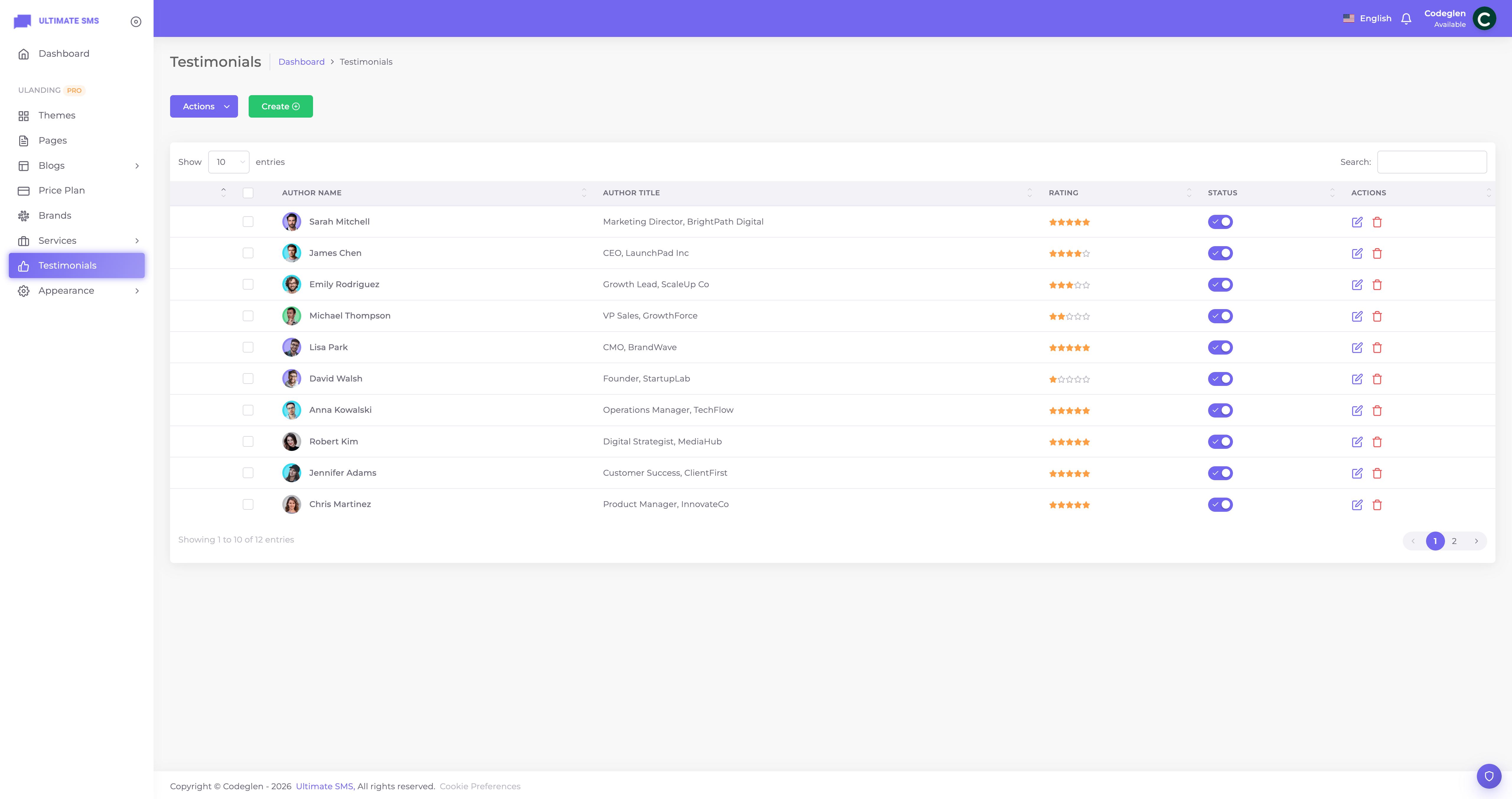
Screenshot: Testimonials list screen
Creating a testimonial
Click Create / Add New. The form has three tabs.
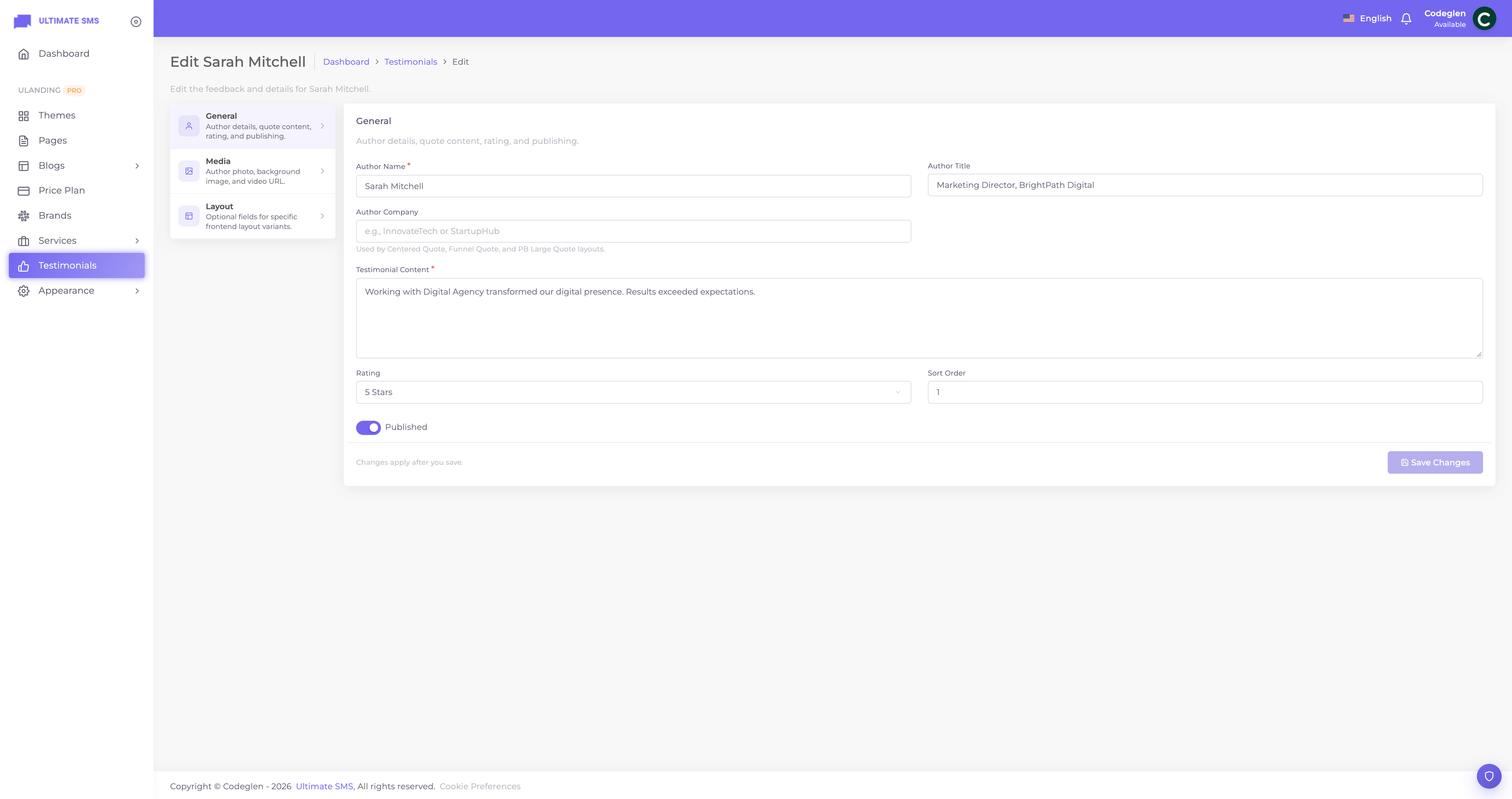
Screenshot: Testimonials create/edit form
General tab
| Field | What it does |
|---|---|
| Author name | The customer's name. Required. |
| Author title | Their job title/role. |
| Author company | Their company. |
| Content | The review text. Required. |
| Rating | A star rating from 1 to 5. |
| Sort order | Position in lists. |
| Published | Show or hide. |
Media tab
| Field | What it does |
|---|---|
| Author image | The customer's photo (or company logo). |
| Background image | An optional background for the testimonial card. |
| Video URL | A video testimonial. |
Layout tab
| Field | What it does |
|---|---|
| Quote highlight | A standout phrase pulled from the review. |
| AI metric value | A headline metric (e.g. "40%"). |
| AI metric label | What the metric means (e.g. "more leads"). |
Ratings, photos and companies
- Ratings display as stars (1–5) on most layouts.
- Photos make testimonials far more believable — always add one.
- Company and title add credibility and context.
Showing testimonials
Add a Testimonial Section block to a page. It shows your published testimonials, ordered by sort order. The block has 10 layouts (slider, grid, large quote, video cards, etc.) and can show all testimonials or a selected set.
Layouts
The visual style is chosen in the Testimonial Section block, not here. Options include split slider, centered quote, full‑card, video cards and more. See Testimonial Section.
Best practices
- Use real names, photos and companies. Attributed reviews are far more persuasive.
- Lead with a result ("Doubled our bookings in 3 months").
- Add the quote highlight so the strongest line stands out.
- Collect a variety — different industries/use cases build broad trust.
Example
- Author: "Sarah Mitchell", title "Marketing Director", company "Acme Co."
- Rating: 5 stars.
- Content: "uLanding cut our launch time in half. Couldn't be happier."
- Quote highlight: "cut our launch time in half".
- Author image: her photo.
Troubleshooting
| Problem | Fix |
|---|---|
| Testimonials not showing | Publish them and add a Testimonial Section block. |
| No stars | Set a rating (1–5). |
| No photo | Upload an author image. |
| Video testimonial not playing | Use a valid video URL and a video‑capable layout. |
Continue to Brands.