FAQ Section
The FAQ block answers common questions in an expandable accordion. It reduces hesitation and cuts down on support requests.
Purpose
Use it to address objections and frequently asked questions right on the page, so visitors get answers without contacting you.
Note FAQs are entered directly in this block — there is no separate "FAQ manager" screen. Each FAQ block holds its own questions.
Available layouts
7 layouts:
| Layout | Best for |
|---|---|
| Multi‑Group Numbered (default) | FAQs split into numbered groups. |
| Centered Rich | A centered, richly styled accordion. |
| Offset Noise | An offset layout with a textured background. |
| Split Decorative | Accordion on one side, decorative graphic on the other. |
| Split Atropos | Split layout with a 3D tilt graphic. |
| Split Why Choose | Pairs FAQs with a "why choose us" panel. |
| Hero Breadcrumb | An FAQ page header with breadcrumb. |
Field reference
Headings
| Field | What it does |
|---|---|
| Eyebrow text | Small label above the heading. |
| Heading text / main / light | The section title (with emphasis options). |
| Intro paragraph | Supporting text. |
| Breadcrumb items | For the Hero Breadcrumb layout. |
| CTA text / URL | A call‑to‑action button. |
Questions
| Field | What it does |
|---|---|
| Accordion items (repeater) | Each FAQ: question, answer, open by default. |
| Answer emphasis text | A highlighted line in the answer. |
| Sub‑list title / items | A bulleted list inside an answer. |
| Groups (Multi‑Group layout) | Each group has a heading and its own list of accordion items. |
| Default open index | Which item starts expanded. |
| Floating tags | Decorative tags (Split Decorative). |
Style
- Padding top / bottom, container width.
- Full button styling.
- Show noise texture and decorative image fields (layout‑dependent).
- Theme (dark/light).
Best practices
- Answer real objections — pricing, delivery time, guarantees, support.
- Keep answers short — 1–3 sentences. Link to detail pages for more.
- Open the first item by default so visitors see the format.
- Order by importance, most‑asked first.
Example
- Layout: Centered Rich
- Heading: "Frequently Asked Questions"
- Items: 1. "How long does a project take?" — open by default. 2. "Do you offer ongoing support?" 3. "What's your refund policy?"
Frontend result
A list of questions; clicking one expands its answer. Some layouts add graphics or a side panel.
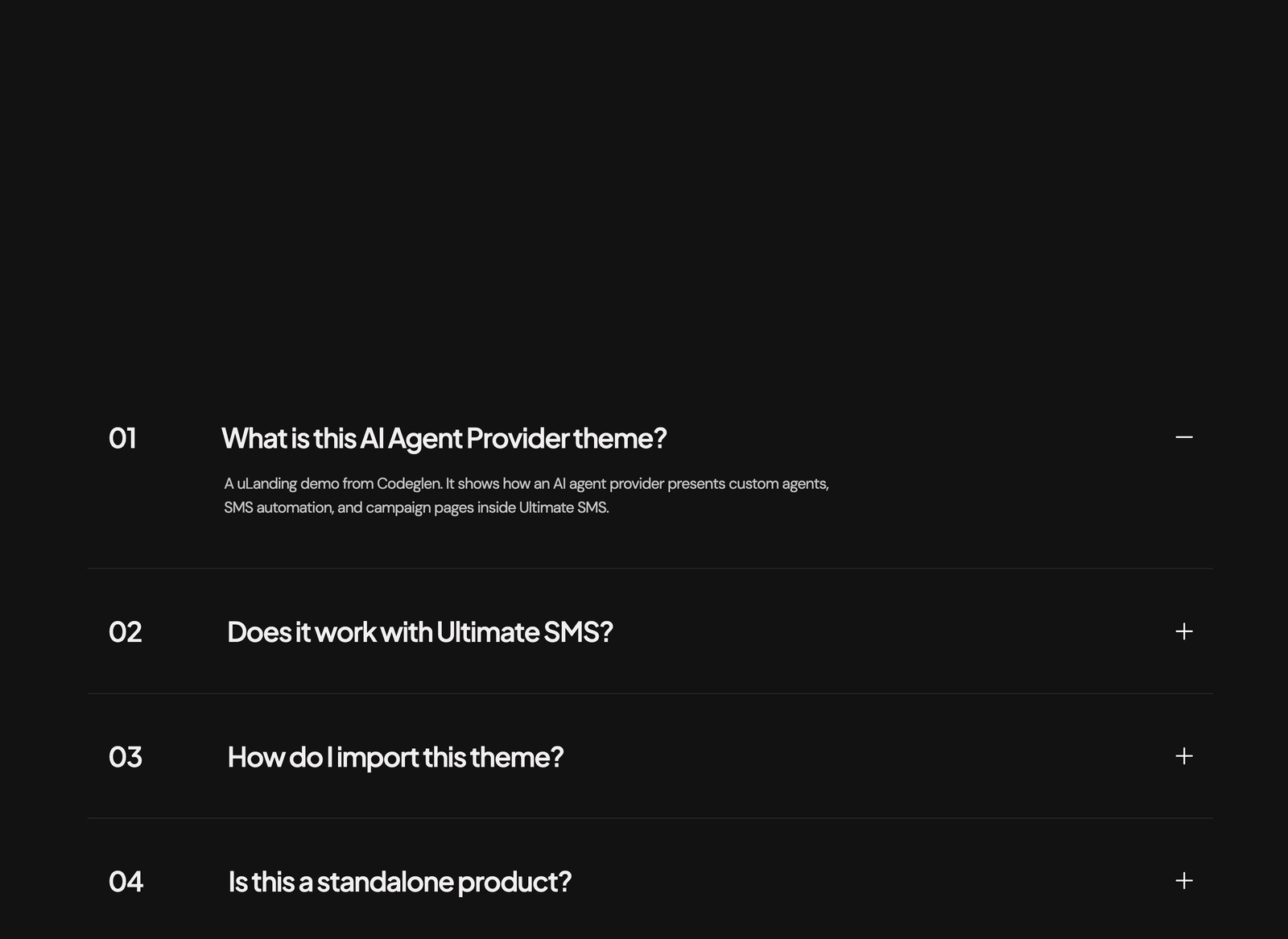
Screenshot: Page Builder → FAQ Section (Centered Rich) on the live site
Troubleshooting & common mistakes
| Problem | Fix |
|---|---|
| Accordion won't expand | Ensure each item has a question and answer; save the block. |
| All items open at once | Set only one "open by default", or set the default open index. |
| Groups empty (Multi‑Group) | Add accordion items inside each group. |
Common mistakes: writing essays instead of short answers, leaving questions blank, not addressing the real concerns visitors have.
➡️ Next: Contact Section