Contact Section
The Contact block lets visitors reach you — via a form, a map, or location cards.
Purpose
Use it on your Contact page (and often at the bottom of the homepage) to collect inquiries and show where you are.
Available layouts
4 layouts:
| Layout | Best for |
|---|---|
| Inline Form (default) | A contact form with your details beside it. |
| Google Map Embed | A large embedded map. |
| Split Map + Form | A form on one side, a map on the other. |
| Location Cards | Cards for multiple office locations. |
Field reference
| Field | What it does |
|---|---|
| Title | The section heading. |
| Form title | A heading above the form. |
| Description | Supporting text. |
| The contact email shown. | |
| Phone | The contact phone shown. |
| Button text | The form's submit button label. |
| Service options | A dropdown of options in the form (one per line). |
| Form action | Where the form submits (advanced). |
| Map embed URL | The Google Maps embed link (Map layouts). |
| Location items (repeater) | For Location Cards: city, email, phone, image, button text/URL. |
| Shape image | A decorative graphic. |
| Theme | Dark/light. |
How to get a Google Maps embed URL
- Open Google Maps and search your address.
- Click Share → Embed a map.
- Copy the
srclink from the embed code (it starts withhttps://www.google.com/maps/embed?...). - Paste it into the Map embed URL field.
Best practices
- Keep the form short — name, email, message is enough. Every extra field reduces submissions.
- Show alternatives — phone, email and WhatsApp, for people who don't like forms.
- Set expectations — "We reply within 24 hours."
- Test your form — submit a test inquiry to confirm it reaches you.
Example
- Layout: Split Map + Form
- Title: "Get in Touch"
- Email / Phone: your details.
- Map embed URL: your office location.
Frontend result
A contact form (and/or map and location cards) where visitors can send a message or find you.
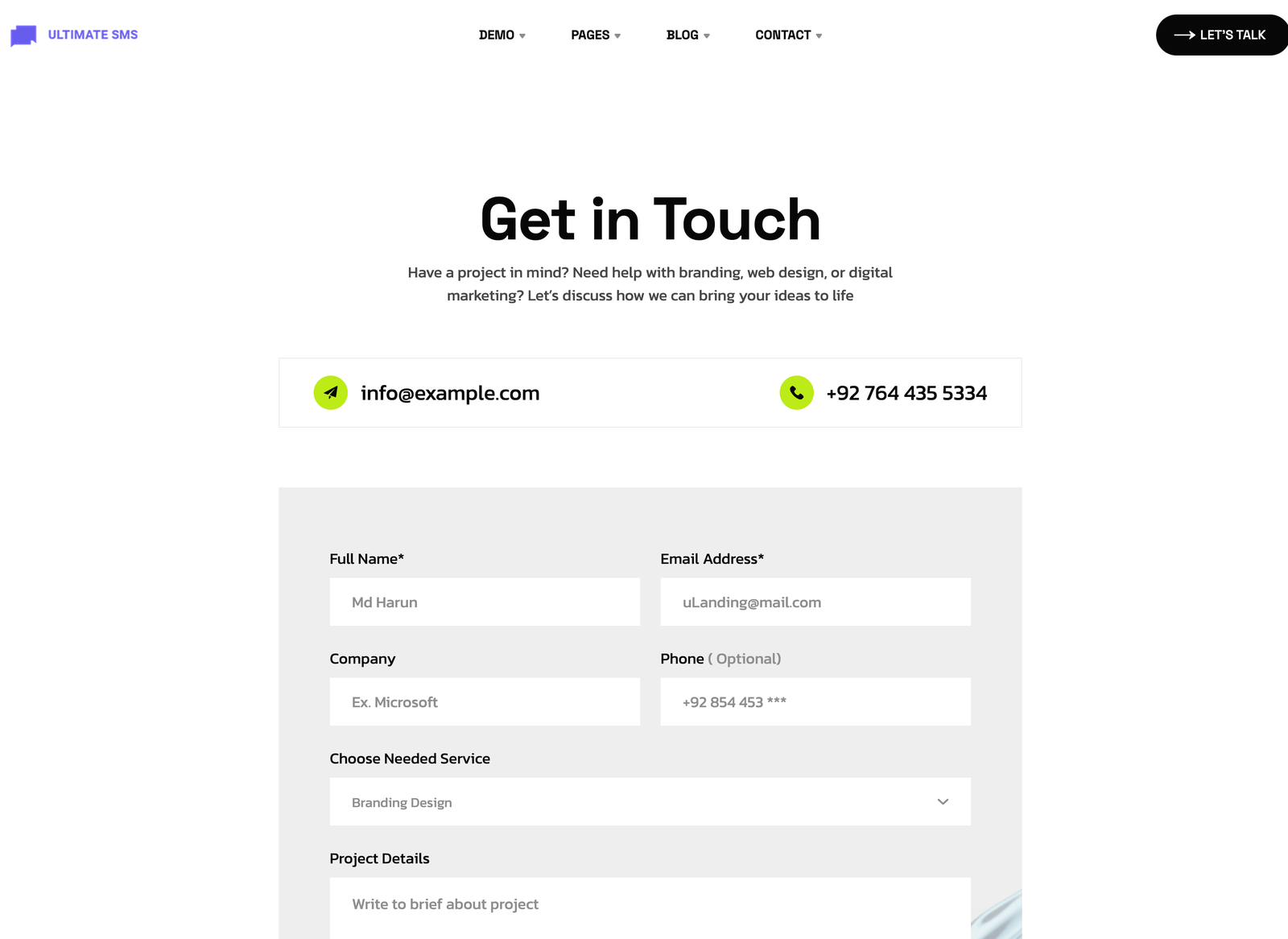
Screenshot: Page Builder → Contact Section (Split Map + Form) on the live site
Troubleshooting & common mistakes
| Problem | Fix |
|---|---|
| Map doesn't show | Use a proper Google Maps embed URL, not a normal map link. |
| Form submissions not received | Check the form action and your site's email settings. |
| Service dropdown empty | Add options in the Service options field (one per line). |
Common mistakes: pasting a share link instead of an embed URL, asking for too much information, not testing the form.
➡️ Next: CTA Section