Pricing
Price Plans are the pricing cards shown by the Pricing Section block. Manage them in Price Plan.
Each plan can be linked to one of your Ultimate SMS billing plans, so your marketing prices stay aligned with what customers actually pay.
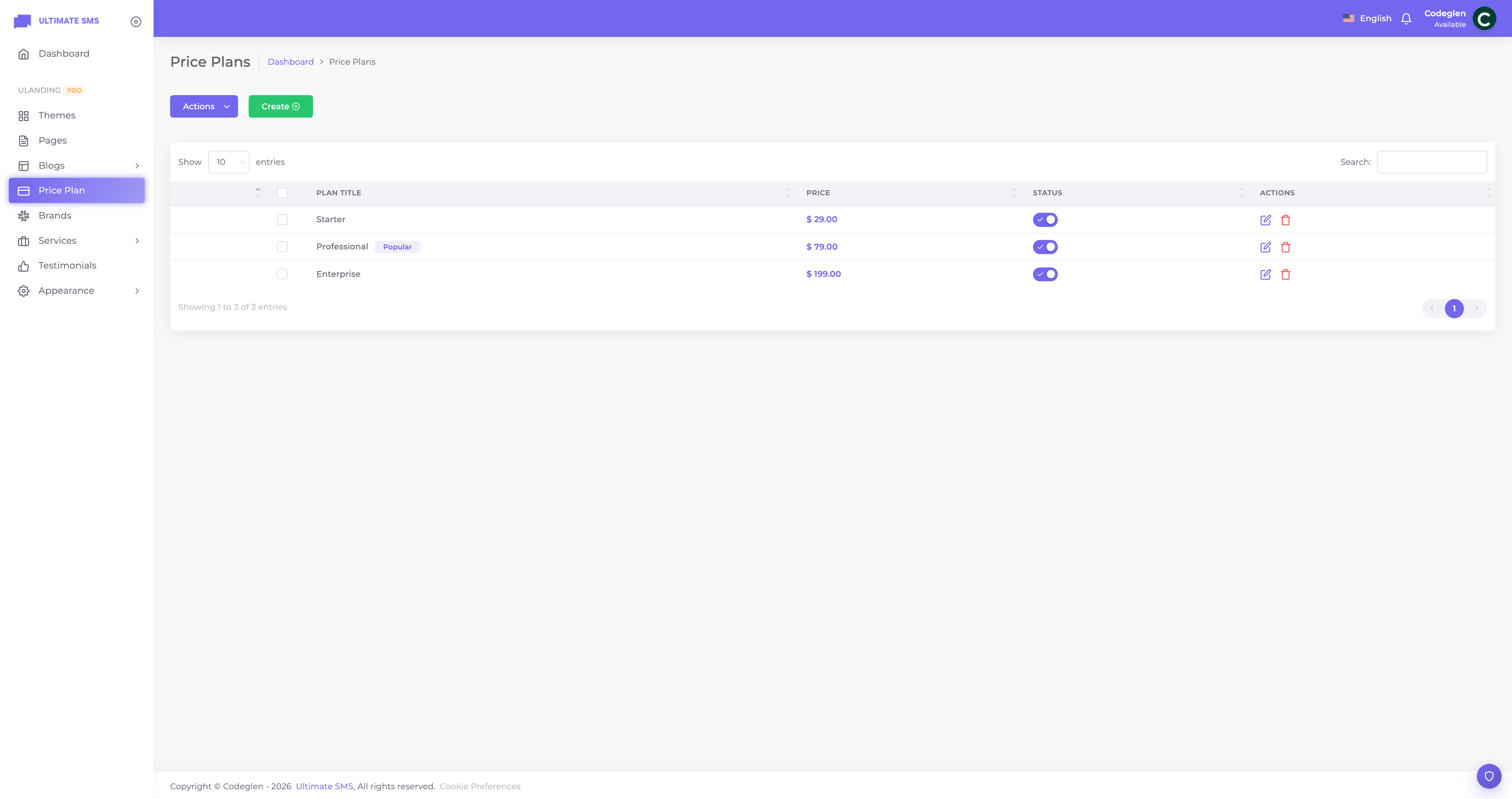
Screenshot: Price Plan list screen
Creating a plan
Click Create / Add New.
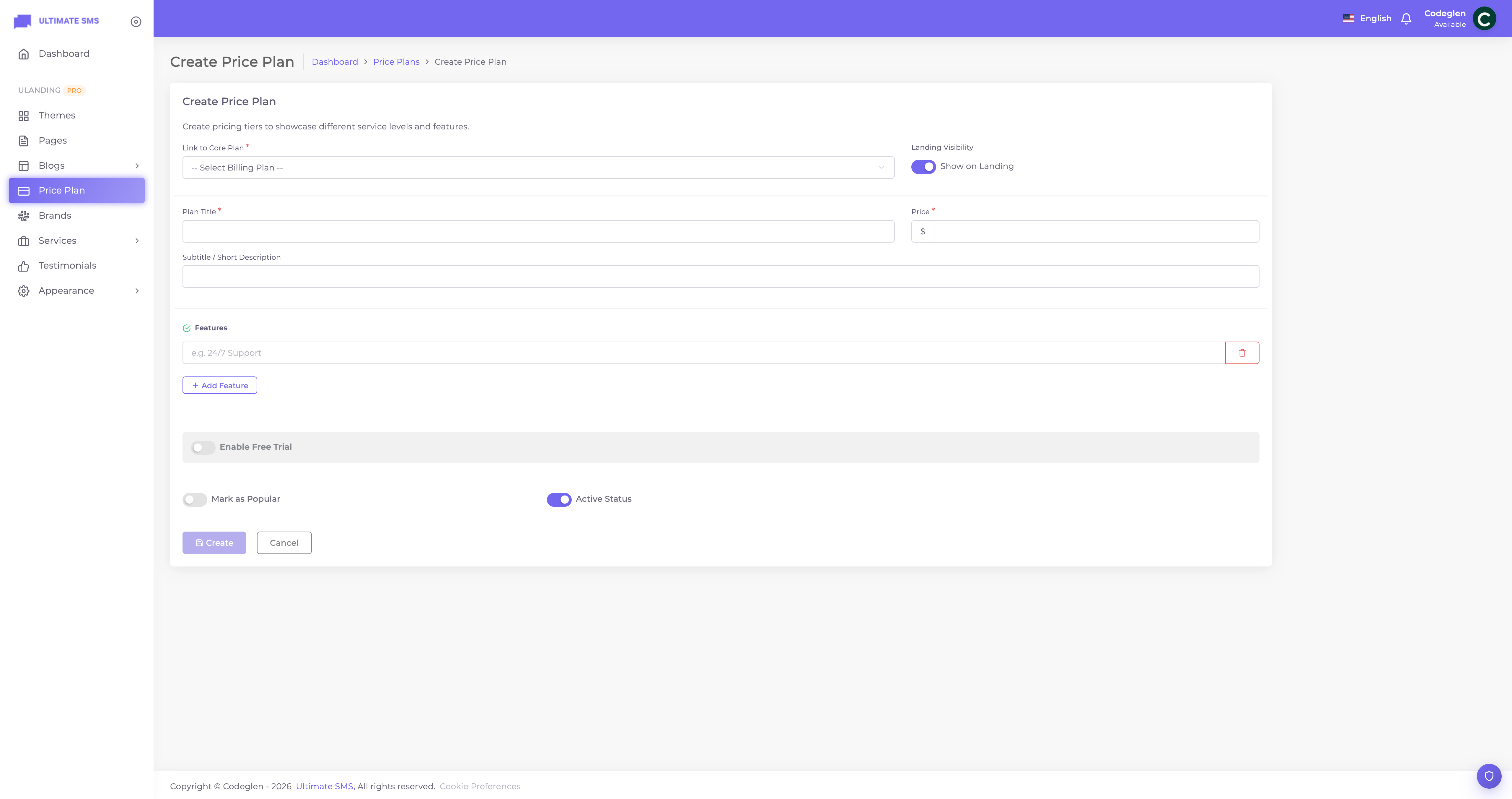
Screenshot: Price Plan create form
| Field | What it does |
|---|---|
| Plan | Link to a core Ultimate SMS billing plan. This auto‑fills the title, price and currency. |
| Title | The plan name (e.g. "Professional"). |
| Subtitle | A short tagline under the title. |
| Price | The price (auto‑filled from the linked plan; editable). |
| Features | A repeatable list of features/benefits — add one line each. |
| Has trial | Offer a free trial. |
| Trial days | Length of the trial. |
| Popular | Mark this as the highlighted plan (only one allowed). |
| Visible | Show or hide the card. |
| Status | Active / inactive. |
Note A plan shows on the site only when it's both Visible and Active.
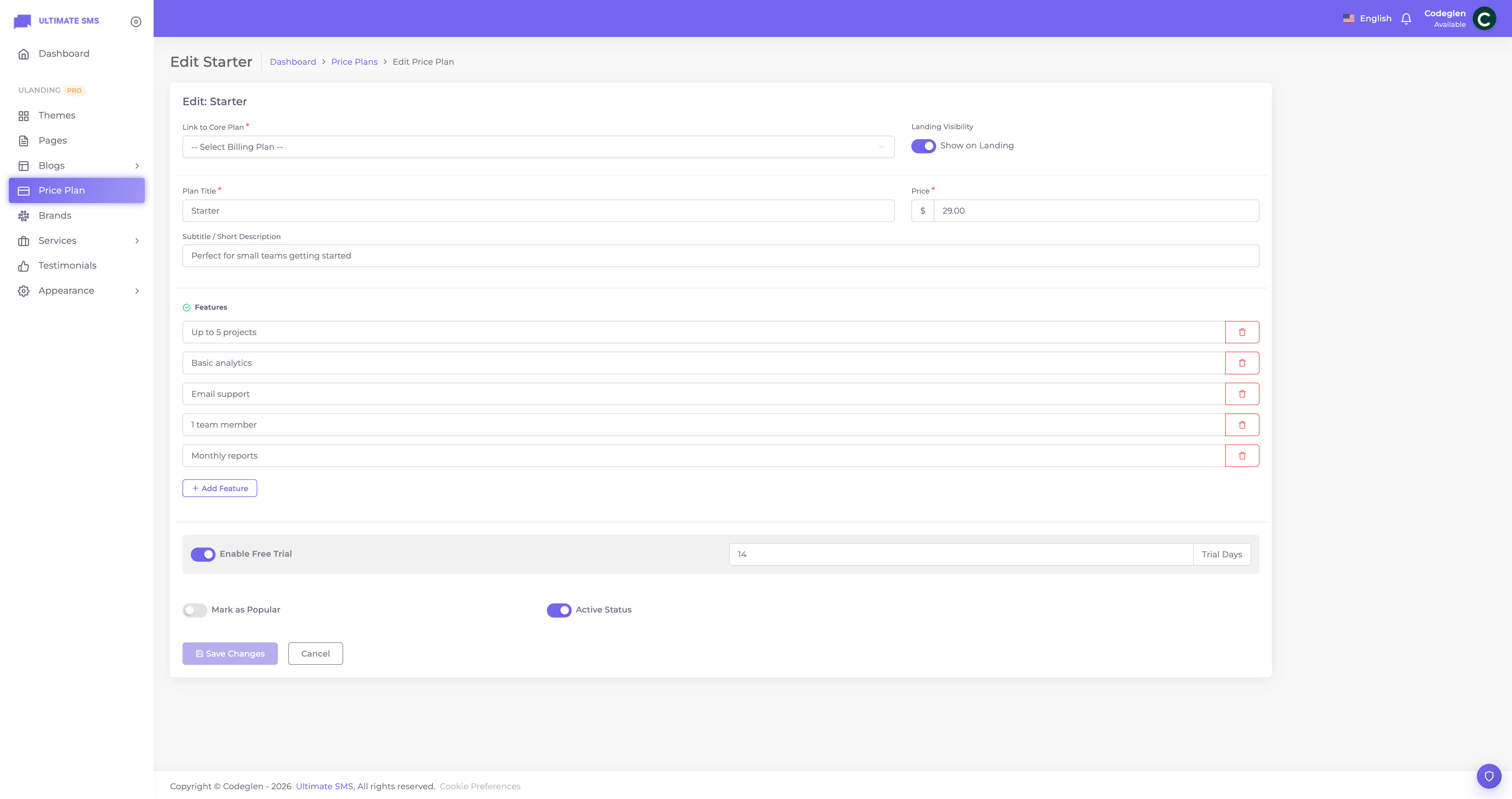
Screenshot: Price Plan edit form
Monthly vs. yearly
You enter a single price. The Pricing block displays both monthly and yearly figures automatically, based on the linked plan's billing cycle:
- Yearly plan: monthly = price ÷ 12, yearly = price.
- Monthly plan: monthly = price, yearly = price × 12.
The Toggle Card Grid layout lets visitors switch between the two views. The default view (monthly or yearly) is set in the Pricing Section block.
The Popular badge
Mark exactly one plan as Popular to highlight it (usually your middle/recommended plan). Setting a new plan as Popular automatically clears the badge from any other plan.
Tip The "most popular" plan typically gets the most sign‑ups simply because it's highlighted. Choose the plan you most want customers to pick.
Buttons and icons
- The button text and icons are controlled by the Pricing Section block, not the plan itself.
- The sign‑up button links to registration for the linked plan (e.g.
/register?plan=...).
Features
Add features as a simple list. Each line becomes a checklist item on the card.
Tip Phrase features as benefits: "Unlimited messages" rather than "Message engine v3". Keep each line short.
Best practices
- Three plans is ideal (Starter / Professional / Enterprise).
- Highlight one as Popular.
- Offer a trial to reduce risk for new customers.
- Order features with the most compelling first.
- Keep titles consistent in length so cards align.
Example (matching the demo)
| Plan | Price | Popular | Trial |
|---|---|---|---|
| Starter | $29/mo | — | 14 days |
| Professional | $79/mo | ✅ | 14 days |
| Enterprise | $199/mo | — | 14 days |
Troubleshooting
| Problem | Fix |
|---|---|
| Plan not shown | Make it Visible and Active. |
| Price looks wrong | Check the linked billing plan and its cycle. |
| No Popular highlight | Mark one plan as Popular. |
| Button doesn't sign up | Ensure the plan is linked to a core billing plan. |
Continue to FAQ.