Blog Section
The Blog block shows your latest blog posts on any page. It's content‑driven: write posts in Blogs (admin); this block displays them.
Purpose
Use it on your homepage or landing pages to surface recent articles, demonstrate expertise and keep content fresh.
Available layouts
15 layouts — one of the richest blocks:
| Layout | Style |
|---|---|
| Standard Grid (default) | A clean card grid (supports pagination). |
| AI Card Grid | Modern AI/tech cards. |
| Archi Numbered | Numbered list style. |
| Split Large Dates | Big date labels. |
| Simple Compact | A tidy compact list. |
| IT Split Background | Split with background. |
| Medical Rounded | Rounded medical style. |
| Portfolio Centered | Centered portfolio cards. |
| Handyman List | A list for trades. |
| Startup Sidebar | Cards with a sidebar. |
| Bold Typography | Type‑led design. |
| Web Design Reveal | Hover‑reveal cards. |
| AI Startup Centered Grid | Centered AI grid. |
| SEO Style Cards | SEO‑agency cards. |
| Shop Style Date Badge | Date‑badge cards. |
Field reference
| Field | What it does |
|---|---|
| Posts to show | How many posts (default 6). |
| Category filter | Show all or one category. |
| Order by | Newest / Oldest / Title A→Z. |
| Pagination enabled | Add page navigation (Standard Grid). |
| Posts per page | When pagination is on. |
| Subtitle / title / title prefix / suffix | Section headings. |
| Description / quote text | Supporting text. |
| CTA text / link | A "view all" button. |
| Card columns | Number of columns in the grid. |
| Show author info | Show the author byline. |
| Show decorative shape | A decorative graphic. |
| Hover displacement / reveal slice effects | Hover animations (certain layouts). |
| Padding / container width / background color | Style. |
| Button colors | Button styling. |
Best practices
- Show 3 posts on the homepage and link to the full blog.
- Use feature images on every post for attractive cards.
- Enable author info to add a human touch.
- Keep titles punchy — they're the most clicked element.
Example
- Layout: Standard Grid
- Posts to show: 3
- Order by: Newest
- CTA: "Read the Blog" →
/blog
Frontend result
A grid or list of post cards with image, title, date, excerpt and a read‑more link. Some layouts support live pagination without reloading the page.
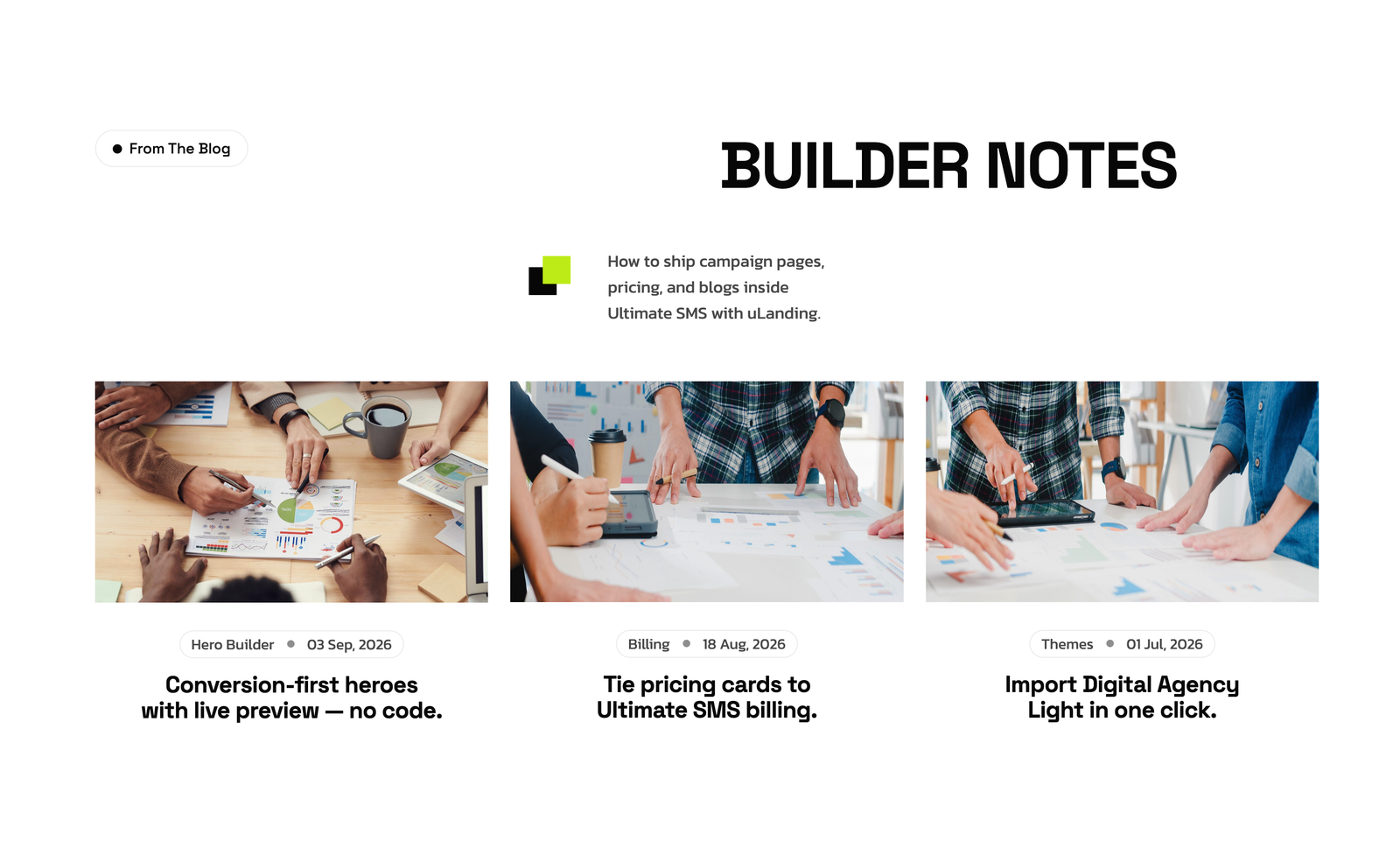
Screenshot: Page Builder → Blog Section (Standard Grid) on the live site
Troubleshooting & common mistakes
| Problem | Fix |
|---|---|
| No posts show | Publish posts in Blogs admin. |
| A post is missing | Check it's published and matches the category filter. |
| Cards have no image | Add a feature image to each post. |
| Pagination doesn't appear | Enable pagination (Standard Grid layout only). |
Common mistakes: posts left as Draft, missing feature images, showing too many posts on the homepage.
➡️ Related: Blog
➡️ Next: Pricing Section