Pricing Section
The Pricing block shows your pricing plans as cards, with an optional monthly/yearly toggle. It's content‑driven: manage plans in Price Plan (admin).
Purpose
Use it to present your packages clearly and drive sign‑ups. Plans link to your Ultimate SMS billing, so the prices and features can mirror your actual offerings.
Available layouts
3 layouts:
| Layout | Best for |
|---|---|
| Bordered Card Grid (default) | Classic bordered pricing cards side by side. |
| Toggle Card Grid | Cards with a monthly/yearly toggle switch. |
| AI Split Layout | A modern split layout for AI/SaaS. |
Field reference
Which plans to show
| Field | What it does |
|---|---|
| Plan source | All active or Selected. |
| Selected plans | Pick specific plans. |
| Max plans shown | Limit the count. |
| Plan order | Ordering option. |
Content
| Field | What it does |
|---|---|
| Eyebrow text | Small label above the title. |
| Heading text + highlight | The section heading. |
| Subheading text | Supporting text. |
| Card short description | A line shown on each card. |
| Secondary CTA text / URL | A link below the cards (e.g. "Compare all features"). |
Billing & badges
| Field | What it does |
|---|---|
| Default billing period | Yearly or Monthly when the page loads. |
| Show offer badge + offer badge image | A promotional badge on a plan. |
Style
- Padding top / bottom, container width, background (image or solid color), overlay color + opacity.
- Full color controls for buttons, cards, plan titles, prices, currency, period text, features and the featured badge.
Monthly vs. yearly pricing
Each plan stores a single price linked to a billing plan. The block displays monthly and yearly prices automatically:
- If the linked plan is yearly, the monthly figure is calculated (price ÷ 12).
- If monthly, the yearly figure is calculated (price × 12).
- The Toggle Card Grid layout lets visitors switch between the two.
Note You set the actual price and feature list in Price Plan admin, not in this block. See Pricing.
Best practices
- Three plans works best — Good / Better / Best. A "Professional" middle plan often wins.
- Mark one as Popular to guide choice (set in Price Plan admin).
- List benefits, not features in the feature list.
- Use a clear button like "Start Free Trial" or "Get Started".
Example
- Layout: Toggle Card Grid
- Plan source: All active
- Default billing period: Yearly
- Heading: "Simple, Transparent Pricing"
Frontend result
A row of pricing cards showing plan name, price, billing period, feature list, a Popular badge on the highlighted plan, and a sign‑up button — with an optional monthly/yearly switch.
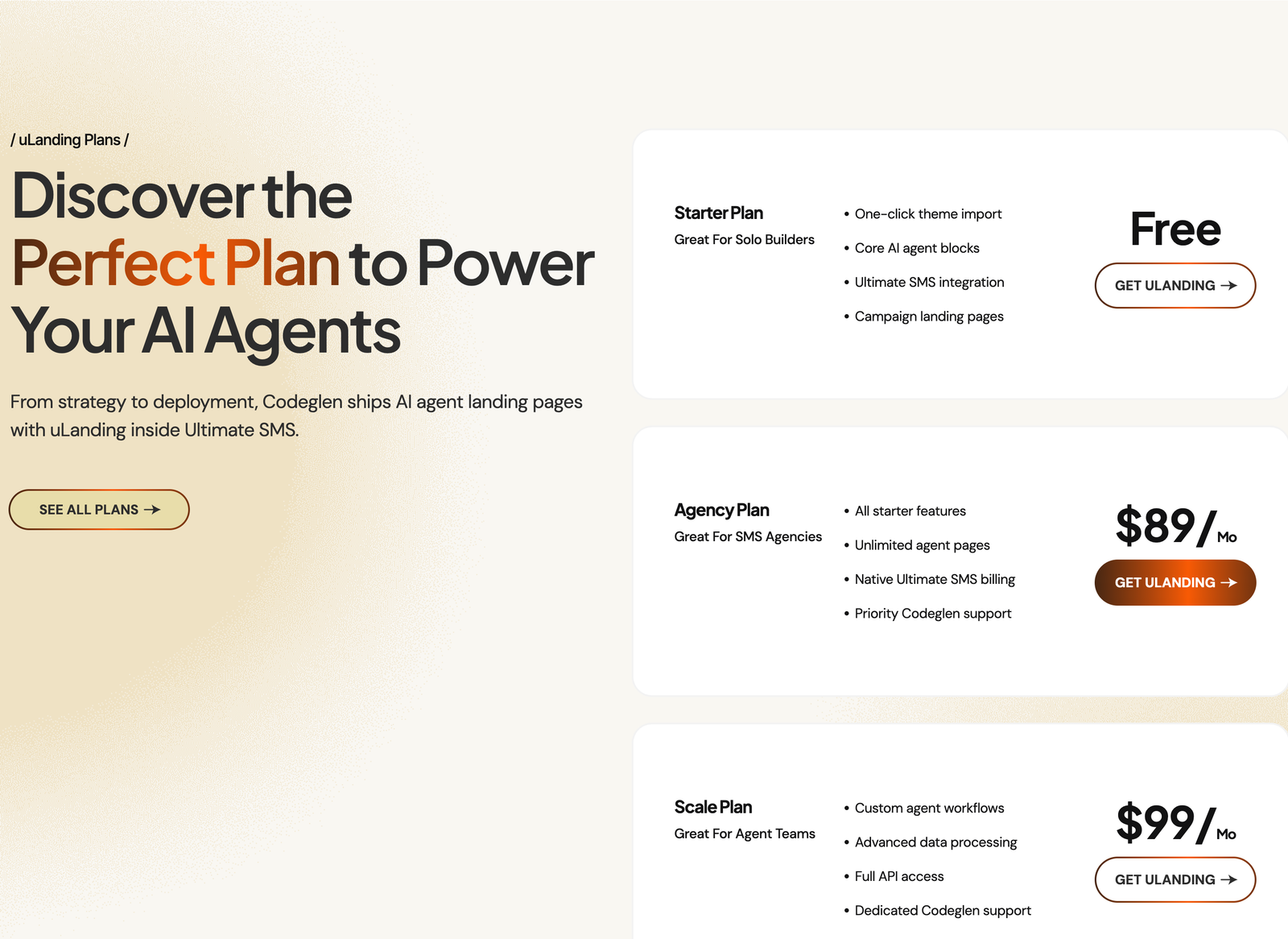
Screenshot: Page Builder → Pricing Section (Toggle Card Grid) on the live site
Troubleshooting & common mistakes
| Problem | Fix |
|---|---|
| No plans show | Make plans Visible and Active in Price Plan admin. |
| Prices look wrong | Check the linked billing plan and its cycle (monthly/yearly). |
| No Popular badge | Mark one plan as Popular in Price Plan admin (only one allowed). |
| Toggle does nothing | Use the Toggle Card Grid layout. |
Common mistakes: too many plans, no Popular plan, listing technical features instead of benefits.
➡️ Related: Pricing
➡️ Next: FAQ Section