Blog
uLanding includes a complete blog with posts, categories, tags, author bios, comments and a sidebar. Manage it under the Blogs menu, which has five parts: Blogs, Category, Tags, Comments and Settings.
Your blog archive is automatically available at yoursite.com/blog.
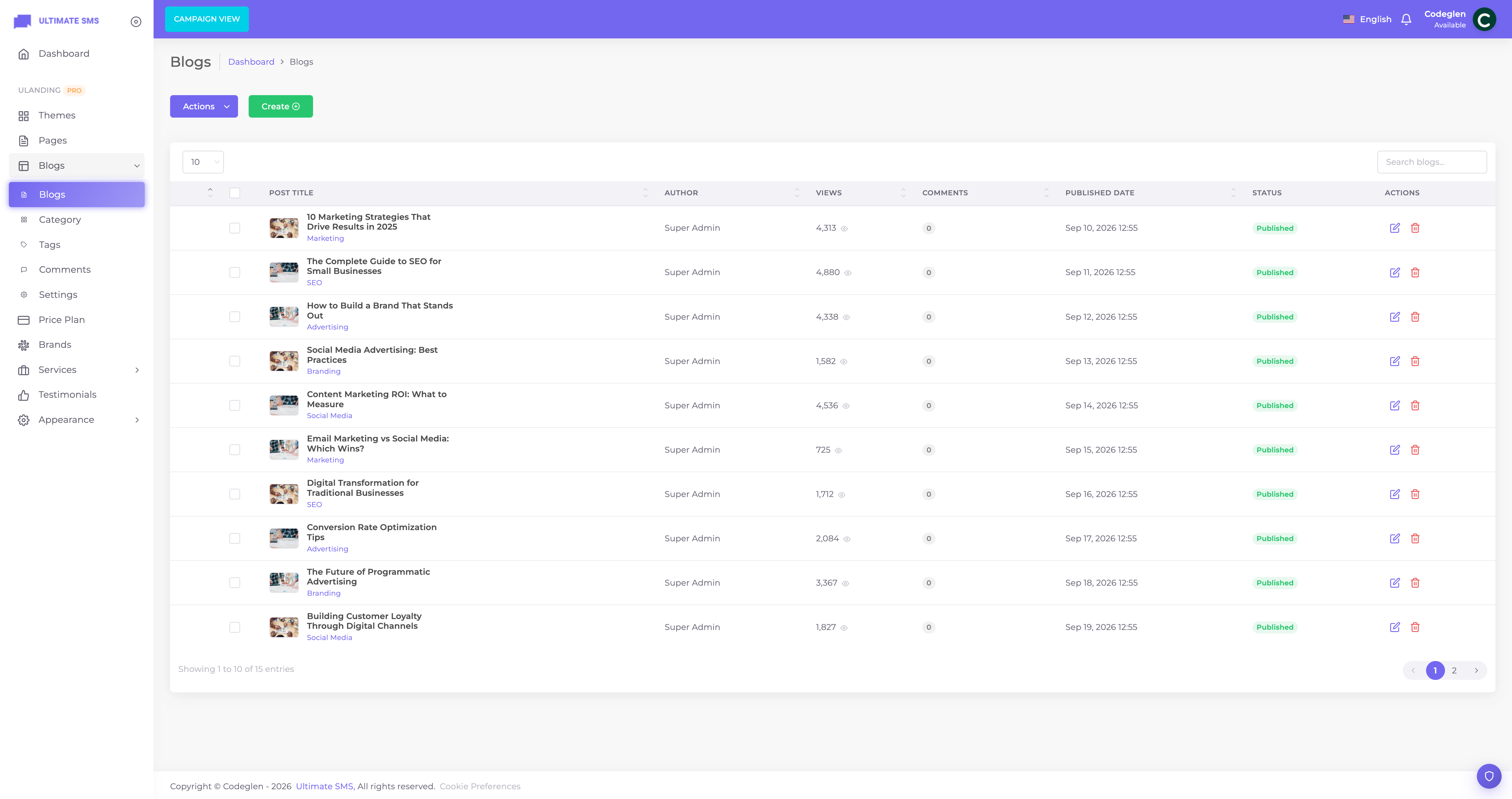
Screenshot: Blogs list screen
Posts (Blogs)
The posts list
Shows all posts with title, status and a status toggle. Includes search and bulk actions (publish, draft, delete).
Writing a post
Click Create / Add New.
| Field | What it does |
|---|---|
| Title | The post title. |
| Excerpt | A short summary shown on cards and in search results. |
| Content | The post body (rich‑text editor). |
| Category | The post's category (required). |
| Tags | One or more tags for filtering. |
| Feature image | The main image shown on cards and at the top of the post. |
| Status | Published / Draft / Archived. |
| Visibility | Public / Private. |
| Featured | Mark as featured (highlighted in the archive). |
| Meta title / Meta description | SEO fields. |
Note The post author is set automatically to the admin who creates it. The author's name and avatar appear on the post (if author bio is enabled in Settings).
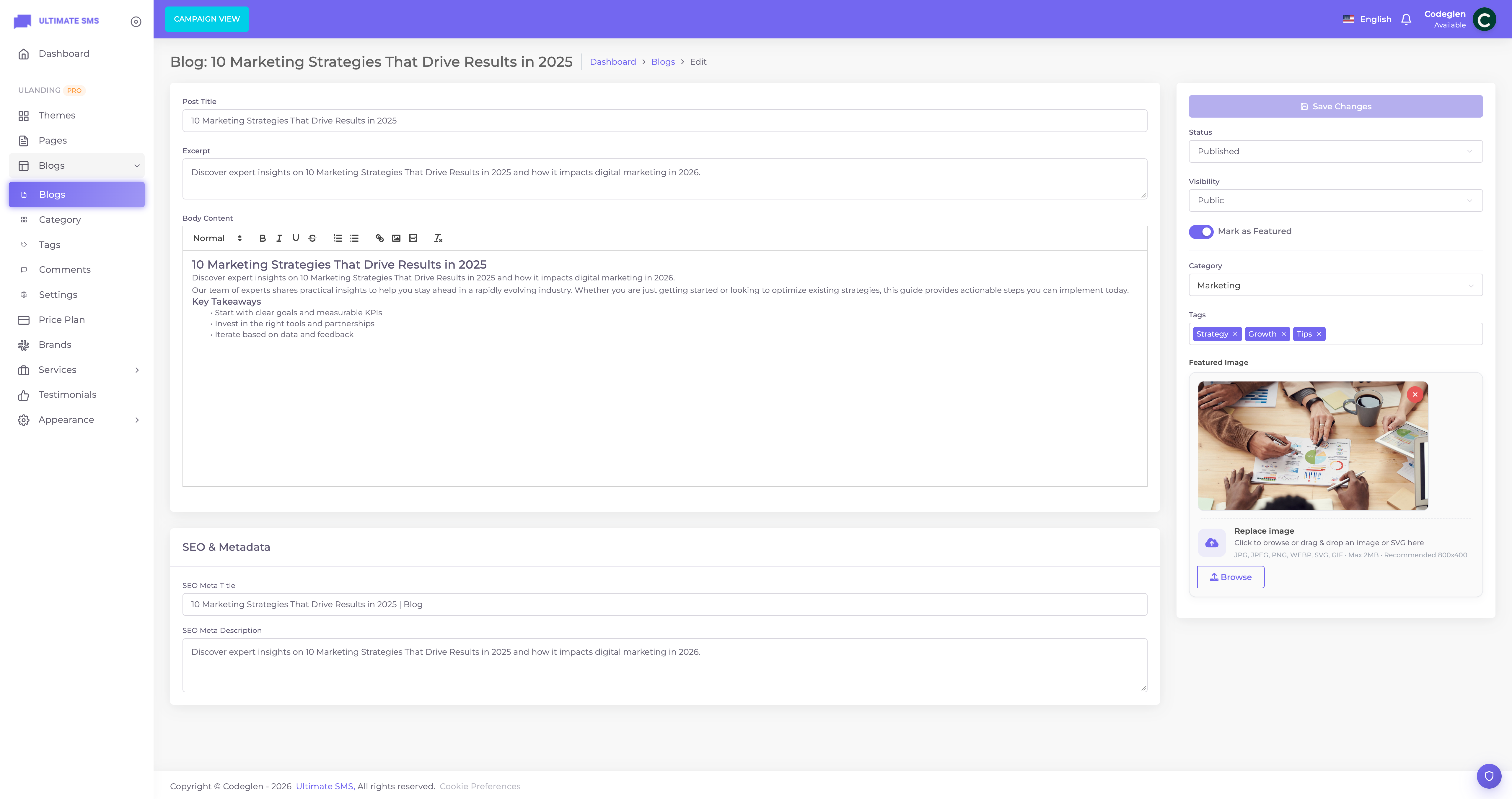
Screenshot: Blog post editor
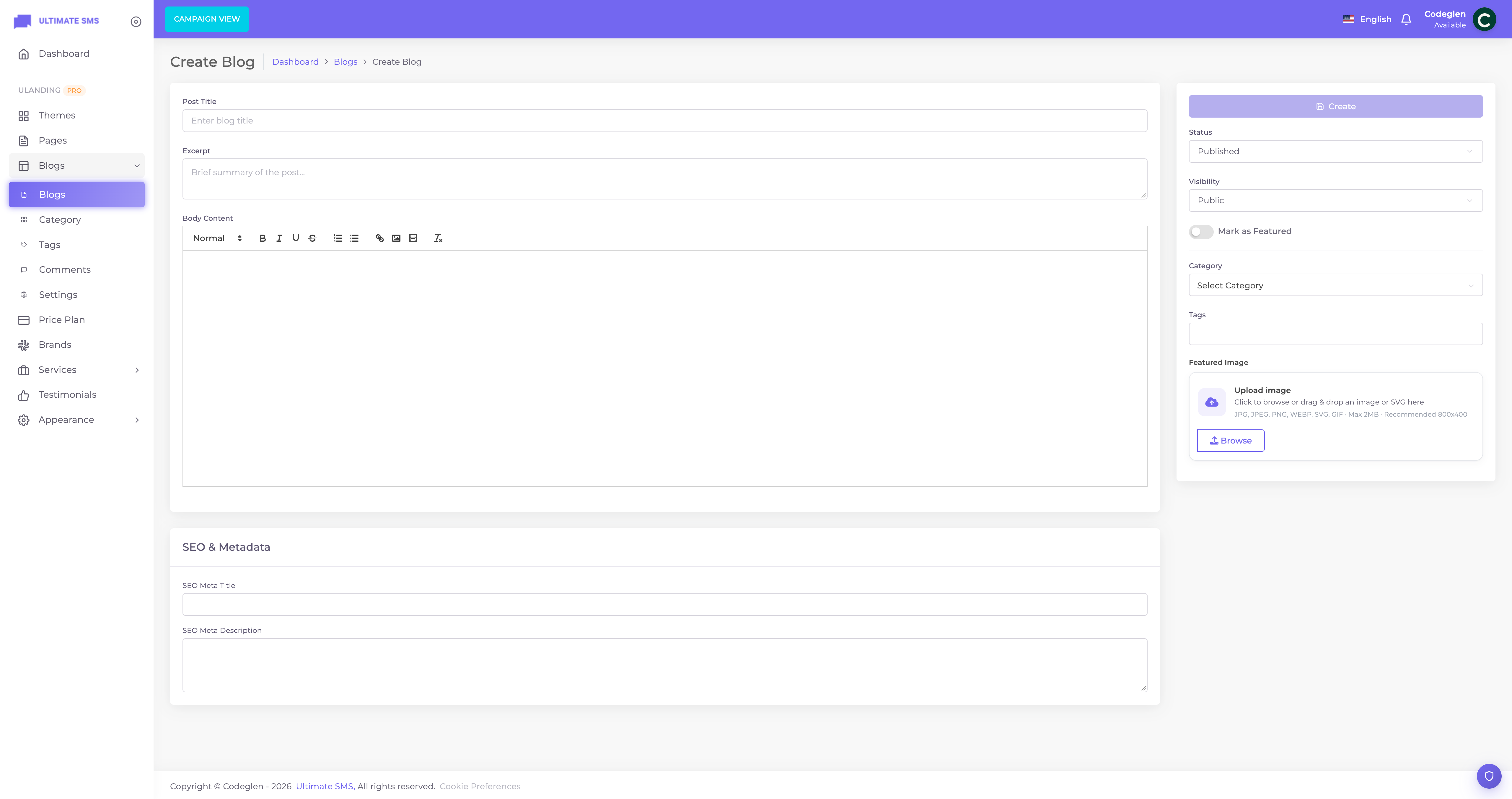
Screenshot: Create blog post form
Categories
Manage in Blogs → Category. Each category has:
| Field | What it does |
|---|---|
| Name | The category name. |
| Slug | The URL part. |
| Parent | Optional parent category (for nesting). |
| Description | An optional description. |
Categories let visitors filter the blog (/blog?category=slug) and power the Blog Categories sidebar widget.
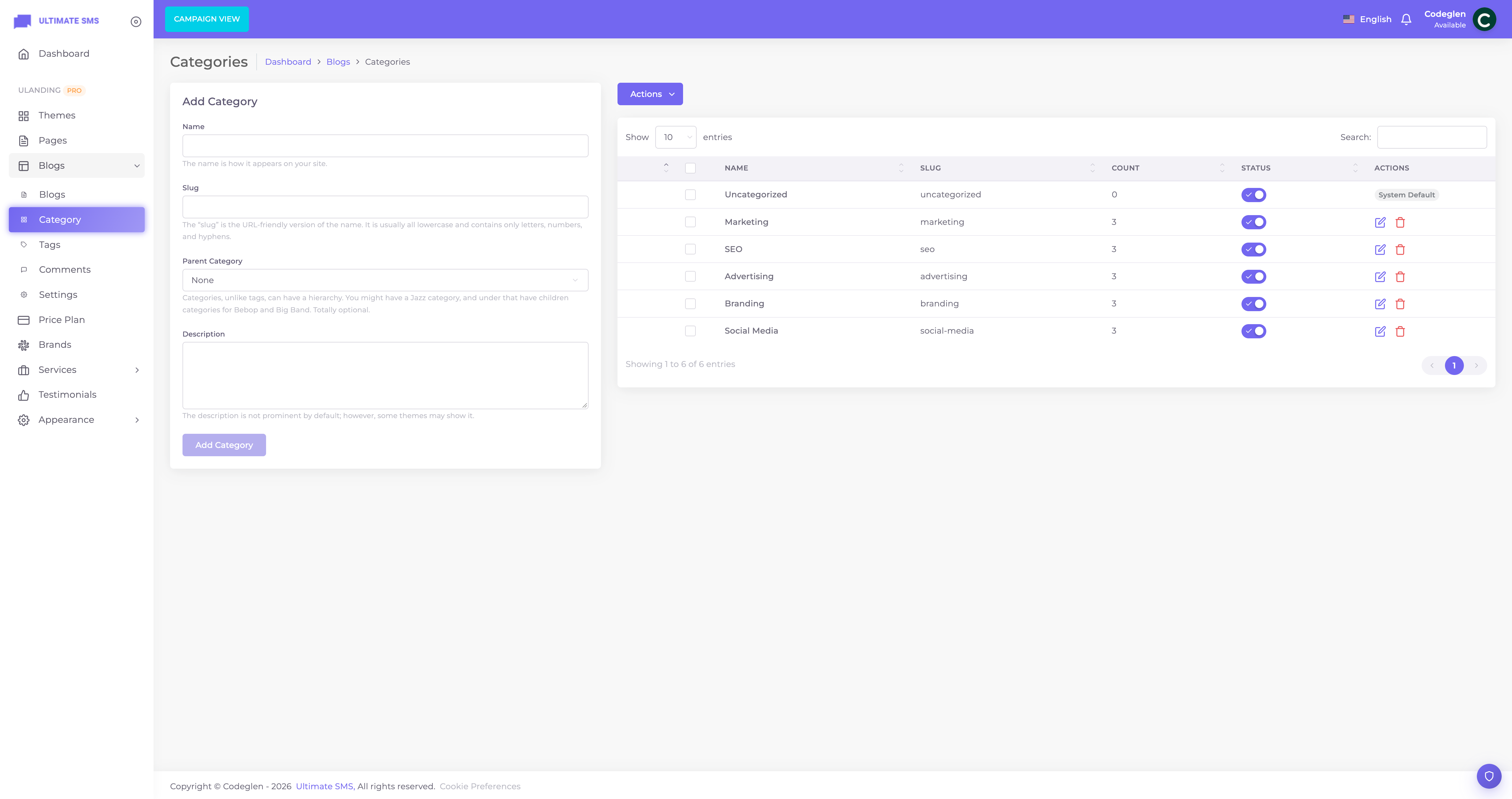
Screenshot: Blogs → Category
Tags
Manage in Blogs → Tags. Each tag has name, slug and description. Tags appear on posts and in the Blog Tags sidebar widget, and link to filtered searches.
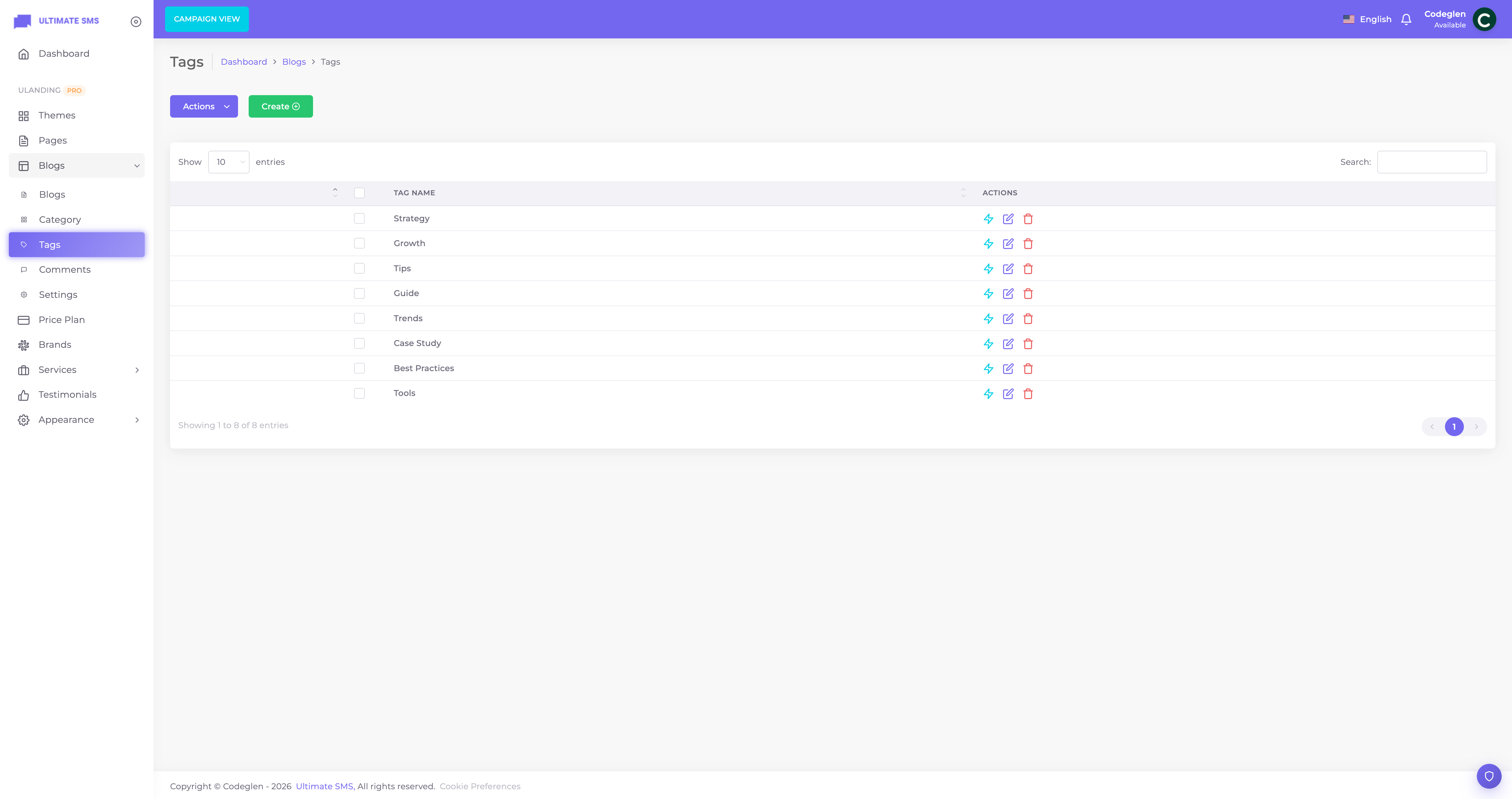
Screenshot: Blogs → Tags
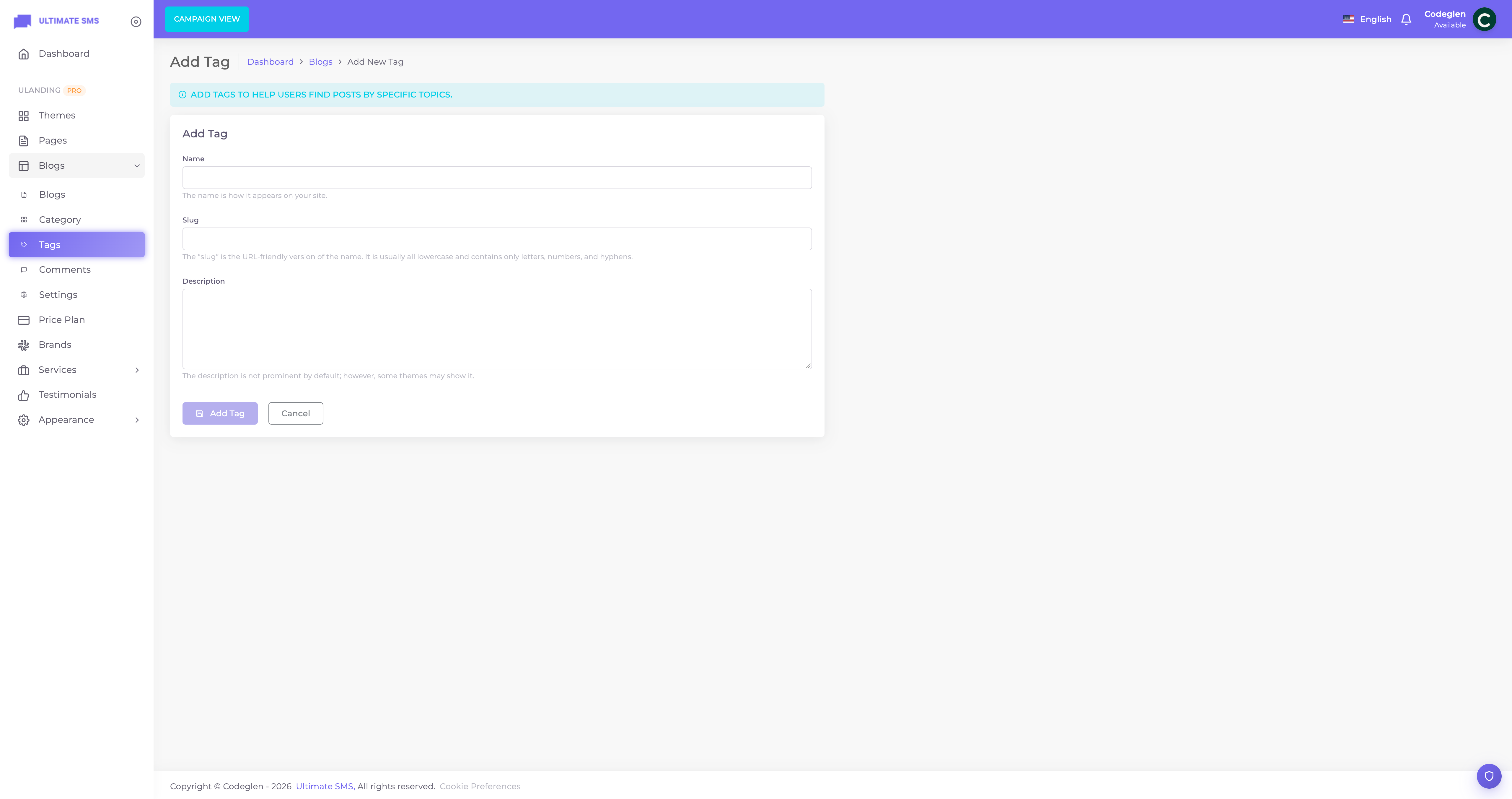
Screenshot: Blogs → Tags → Add tag
Comments
Manage in Blogs → Comments. Visitors can leave comments on posts (if enabled). The moderation screen lets you:
- Filter by status: All / Pending / Approved / Rejected.
- Approve, Reject or Delete comments.
- Use bulk actions to moderate many at once.
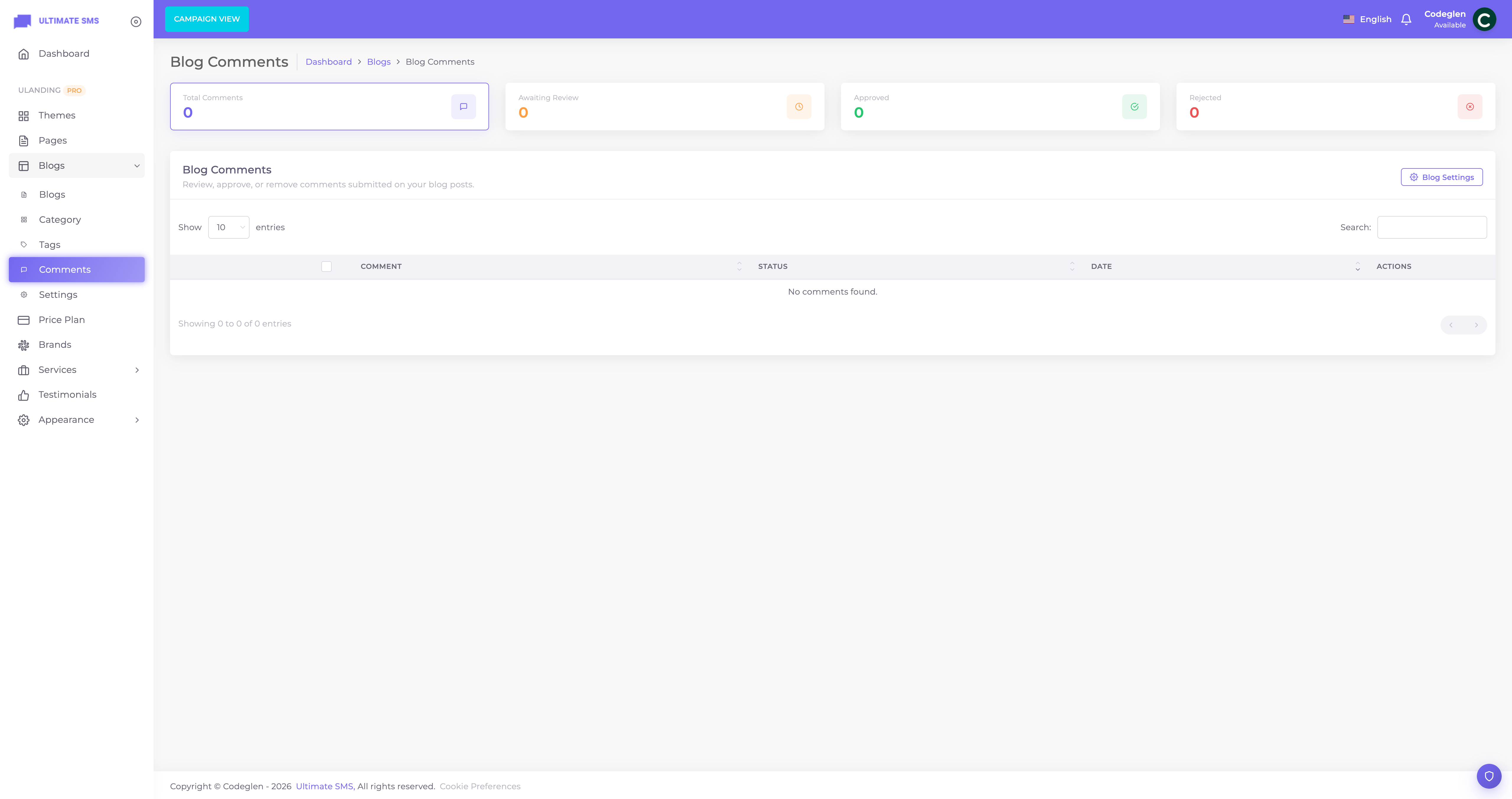
Screenshot: Blogs → Comments
Tip Turn on comment moderation in Settings so new comments stay Pending until you approve them — this stops spam from appearing.
Blog Settings
Manage in Blogs → Settings.
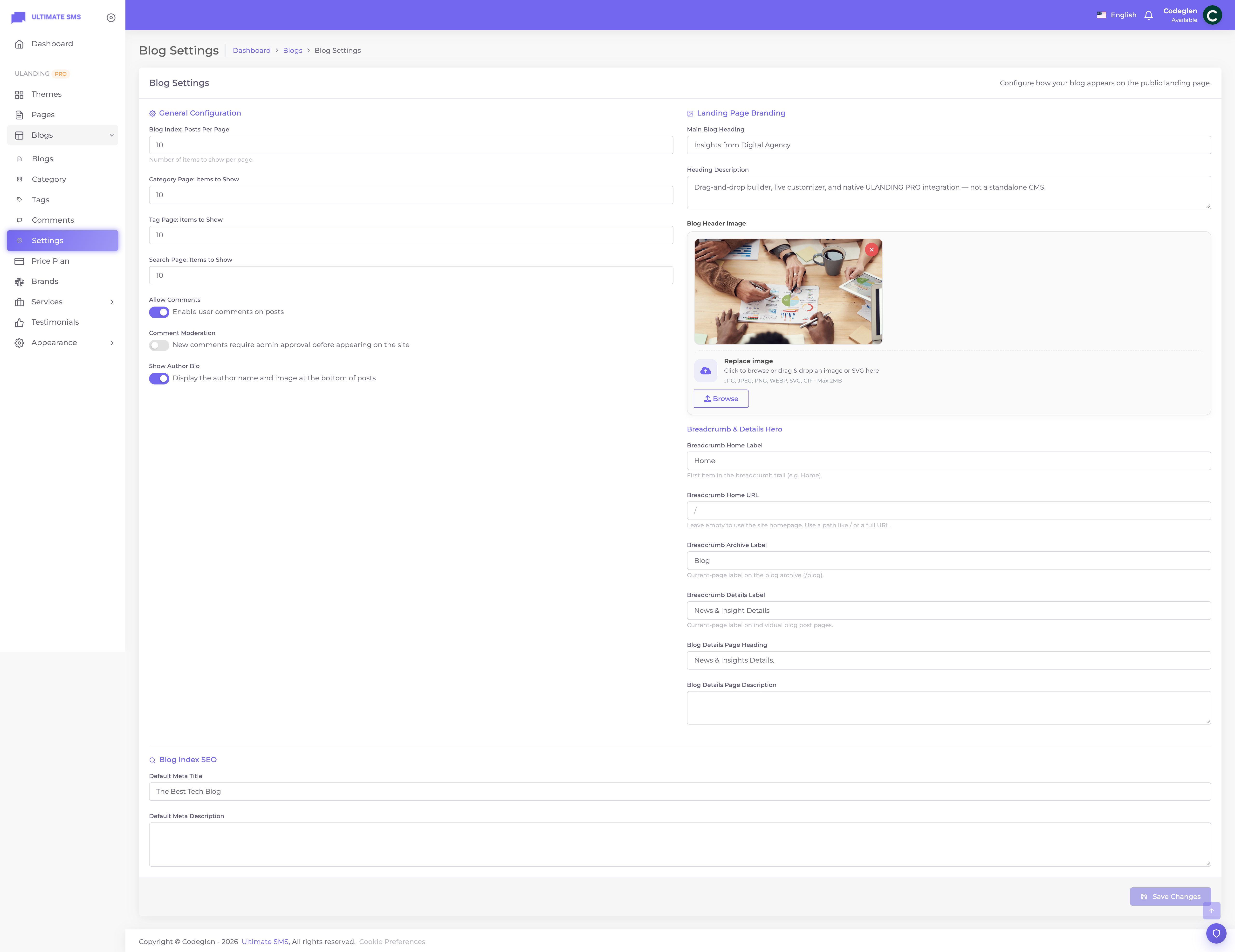
Screenshot: Blogs → Settings
Display
| Setting | What it does |
|---|---|
| Posts per page | How many posts show per page in the archive. |
| Category page items | Posts per page on category views. |
| Tag page items | Posts per page on tag views. |
| Search page items | Posts per page on search results. |
Comments
| Setting | What it does |
|---|---|
| Enable comments | Allow comments on posts. |
| Comment moderation | New comments need approval before showing. |
| Show author bio | Display the author's name/avatar/bio on posts. |
Blog header & SEO
| Setting | What it does |
|---|---|
| Blog header title / description / image | The banner at the top of the blog archive. |
| Blog meta title / description | SEO for the blog archive. |
| Breadcrumb labels & URLs | Customize the breadcrumb trail. |
| Blog details header title / description | Defaults for single‑post headers. |
How the blog appears on the site
| URL | What it shows |
|---|---|
/blog |
The blog archive (newest posts; first post featured). |
/blog?category=slug |
Posts in a category. |
/blog?search=term |
Search results. |
/blog/<slug> |
A single post. |
The single‑post page shows the content, author byline (if enabled), tags, related links, comments, and your blog sidebar (built in the Widget Builder).
Note Post views are counted automatically — the Popular Blogs sidebar widget can sort by most‑viewed.
The blog sidebar
Build the sidebar in Appearance → Widget Builder → Blog Sidebar using blog widgets: Search, Categories, Popular/Recent posts, Tags and a CTA banner. See Widget Builder.
Authors
- Each post's author is the admin who wrote it.
- Author name and avatar are shown when Show author bio is on in Settings.
- Avatars are served automatically.
Showing posts on other pages
Add a Blog Section block to any page (e.g. your homepage) to feature recent posts.
Best practices
- Write descriptive titles — they drive clicks and SEO.
- Always add a feature image for attractive cards.
- Use categories and tags consistently.
- Fill the meta fields for each post — see SEO.
- Enable moderation to prevent spam.
Troubleshooting
| Problem | Fix |
|---|---|
Posts don't show at /blog |
Set status to Published. |
| Comments don't appear | Enable comments; approve them if moderation is on. |
| No author shown | Enable Show author bio in Settings. |
| Sidebar empty | Add widgets in Widget Builder → Blog Sidebar. |
| Category filter shows nothing | Assign posts to that category. |
Continue to Pricing.