Testimonial Section
The Testimonial block shows customer reviews. It's content‑driven: manage reviews in Testimonials (admin); this block displays them in a slider or grid.
Purpose
Social proof is one of the most powerful trust‑builders. Use this block to show what happy customers say about you.
Available layouts
10 layouts:
| Layout | Best for |
|---|---|
| Split Slider (default) | A two‑part slider. |
| Centered Quote | A single large centered quote. |
| AI Full Card | A full card style for AI/tech. |
| Consulting Split Card | A split card for consulting. |
| Funnel Quote | A funnel/marketing quote. |
| IT Card Slider | A card carousel for IT. |
| Fullscreen Quote | A bold full‑width quote. |
| Startup Video Cards | Video testimonial cards. |
| Web Design Style | A web‑studio style. |
| Large Quote | An oversized quote. |
Field reference
Header
| Field | What it does |
|---|---|
| Section subtitle / title / paragraph | The section headings. |
| Title highlight | A highlighted phrase in the title. |
Which testimonials to show
| Field | What it does |
|---|---|
| Testimonial source | All published or Selected. |
| Selected testimonials | Pick specific reviews. |
| Max testimonials shown | Limit the count. |
| Testimonial order | Ordering option. |
Extra fields (layout‑specific)
- Rating score / label / subtext — an overall rating display.
- Stat counter prefix / value / suffix / label — a headline stat.
- Result title / highlight / description — a results block.
- Section video URL + CTA button text / URL — for video layouts.
- Background color / container width / title font — style options.
- Slider speed, padding top/bottom.
Note You can also enter testimonials manually via a slides repeater when not using the Testimonials admin as the source.
Best practices
- Use real names, photos and companies. Specific, attributed quotes are far more believable.
- Lead with results. "Increased our leads by 40%" beats "Great service".
- Add star ratings and photos in the Testimonials admin for richer cards.
- Rotate 6–9 testimonials in a slider so visitors see variety.
Example
- Layout: Centered Quote
- Source: All published, max 6
- Title: "What Our Clients Say"
Frontend result
A slider or grid of review cards showing the quote, author name, title, company, photo and star rating.
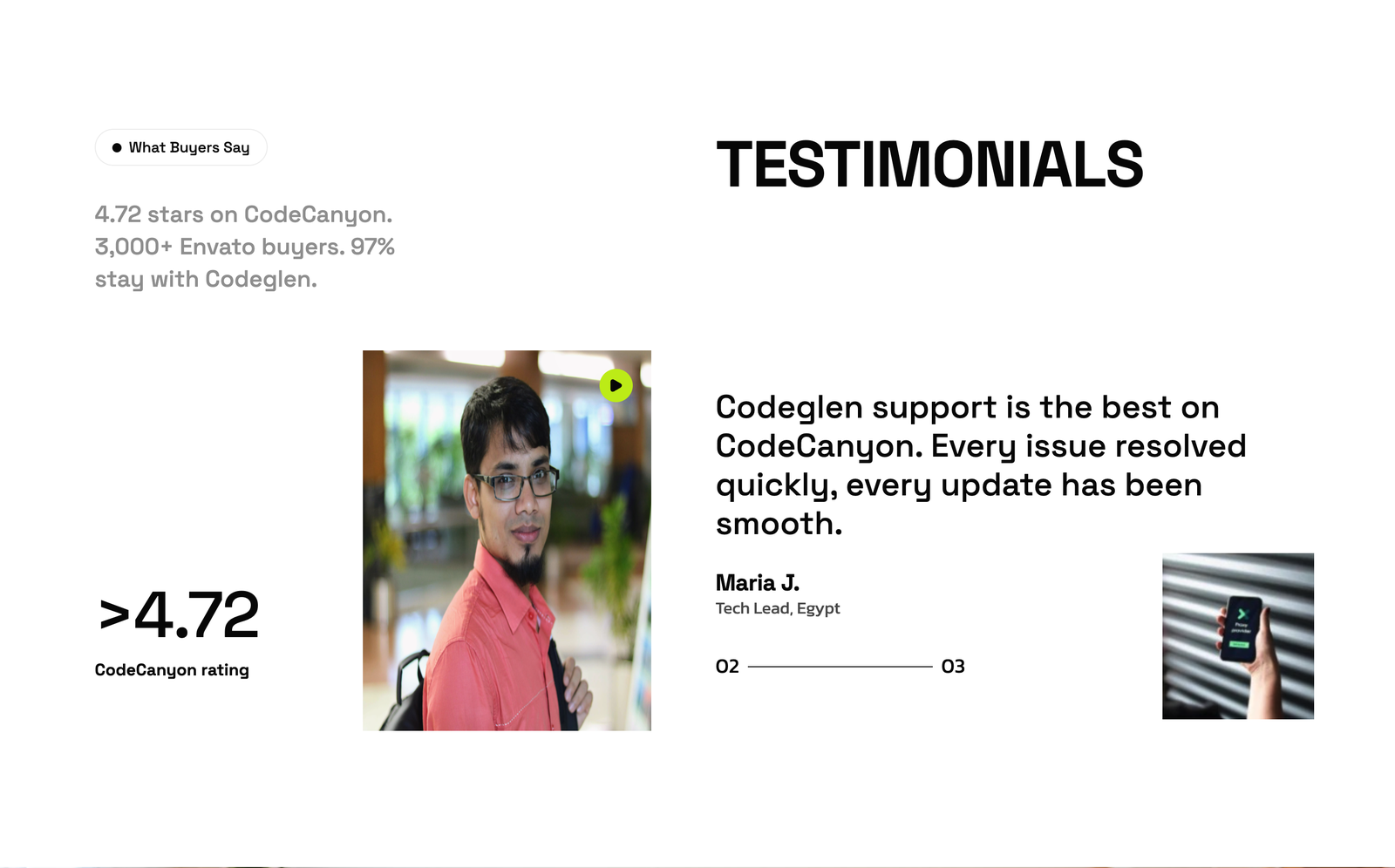
Screenshot: Page Builder → Testimonial Section (Split Slider) on the live site
Troubleshooting & common mistakes
| Problem | Fix |
|---|---|
| No testimonials show | Publish testimonials in Testimonials admin. |
| Photos missing | Upload an author image per testimonial. |
| Ratings not shown | Set a rating (1–5) on each testimonial. |
| Slider not sliding | Enable animations; set a slider speed. |
Common mistakes: anonymous quotes, no photos, vague praise without specifics.
➡️ Related: Testimonials
➡️ Next: Banner